HookGenius · Suno reference
Suno Cover: How It Works, What It Can't Do, and Why a Rebuild Beats It
Don’t cover it. Make something new from it — take the production, instruments, era and mood you love into a song of your own. The complete method, mapped:
- ✓61 genre blueprints + 20 tag recipes — describe any sound
- ✓The full system + 18 fixes for the ways Suno fails
- ✓+25 free HookGenius app credits included
HookGenius is an independent product and is not affiliated with, endorsed by, or sponsored by Suno, Inc.
See inside first →✓ See a sample chapter first · ✓ Instant PDF · ✓ Free lifetime updates · ✓ +25 app credits
The book is the method. The app runs the method for you. Want the method run for you? HookGenius writes your first song — free → 5 songs free · no card · ~30 seconds each
TL;DR
- Suno won't cover other artists' songs: Cover only remakes songs you made, and Suno's rules prohibit reproducing existing ones
- And there's no reason to want it: AI music needs to be different from what's out there
- Describe the sound you want in your own words (production, instruments, mood); Suno doesn't accept song or artist names
- Write your own original lyrics for the best results
Take what you love about a song (the era, the instruments, how the voice sits) and make a new one with it
No. Suno’s Cover feature, still a beta, only remakes songs you created in Suno; its help center says it won’t work on another person’s work, and its community guidelines prohibit uploading copyrighted material or reproducing existing songs. And there’s no reason to want it. If you’re gonna produce AI music, it needs to be different than what’s out there. There’s literally no reason to do cover songs. Take what you love about a song (the era, the instruments, the way the voice sits) and make something new with it. Suno’s rules checked October 31, 2026 on help.suno.com and suno.com/community-guidelines.
Last updated: November 1, 2026
A copy of a song that already exists gives listeners nothing the original doesn't. This guide shows how to take what you love about a song and use it in one of your own: listen for what makes it work, describe that in the style prompt, and write your own words.
HookGenius is the pre-production engine for AI music — the professional prompt, lyrics, and title generator creators use to get the best output from Suno and other AI platforms.
Try It Free — 5 Songs Included
Generate complete lyrics + style prompts optimized for Suno. Sign in with Google, see results in 30 seconds.
Generate Your First Song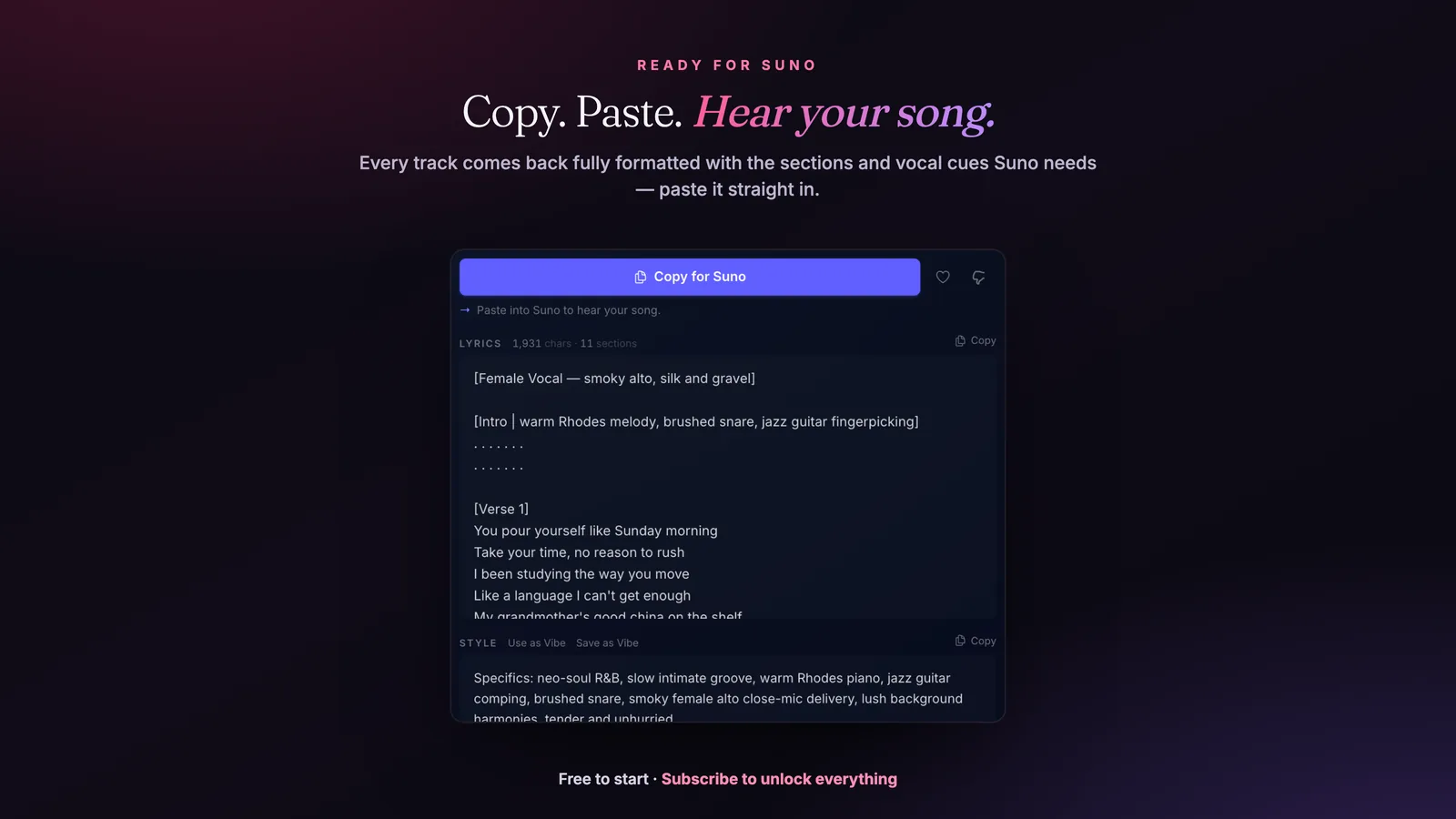
How Suno's Cover works, and what it keeps
Cover remakes a song you made in Suno in a new style. Suno's own help page says a Cover should “transform the style of an existing song while keeping the melody” (help.suno.com, checked November 9, 2026). It works only on songs you created, never on someone else's, and it is in beta for the Pro and Premier plans.
- Open your Library and find the song.
- Click the three-dot More Actions menu, hover over Create and choose Cover Song.
- Type the new style in Style of Music, change the title if you like, and click Create.
Changing your own song's genre? Rebuild it instead
Because Cover keeps the melody, a rock song covered as country is a rock melody with country instruments on it. The phrasing, the tempo feel and the way each part is sung all still come from the old song. To make it sound like the new genre, keep every word and rebuild everything else:
- Start from the new genre's tempo and feel. Our rock song “I'm Not Going Back” became a 70 BPM fingerpicked country song.
- Write the style for what that genre is built on, not one-for-one instrument swaps.
- Give every section tag new directions for how it's sung.
- Put the old genre in Exclude Styles so Suno doesn't drift back to it.
- Paste your lyrics with Variety off so Suno sings what you wrote.
That is what HookGenius does when you tell it the genre you want, press I wrote my own lyrics and choose Use mine: every line stays, and the style, the section directions and the excludes are rewritten for the new genre. Watch it both ways:
Copy/Paste Prompts
Decide: tempo (BPM), key instruments, vocal style, production era, mood, arrangement structure, and signature sounds
classic rock, driving guitar riff, powerful vocals, analog warmth, 70s production, stadium energy, blues-influenced, anthem
90s grunge, distorted guitar, raw vocals, dynamic quiet-loud, angsty, lo-fi production, flannel energy, emotional
80s synth-pop, analog synthesizers, drum machine, new wave, neon atmosphere, retro production, nostalgic, danceable
pop-punk, fast drums, power chords, energetic vocals, teenage angst, catchy chorus, driving tempo, nostalgic 2000s
Common Mistakes
- Trying to recreate a song: Suno's rules prohibit reproducing existing songs, and a copy gives nobody anything new. Make your own
- Using song titles or artist names in prompts: Style prompts work better with descriptive production terms than name-dropping specific songs or artists
- Copying lyrics from existing songs: This creates copyright infringement - write your own original lyrics instead
- Being vague about the sound: Without naming the specific production elements you want, your prompt will be too vague to land the feel
- Ignoring the arrangement structure: Song feel comes from how elements are arranged (verse-chorus dynamics, builds, drops) not just the instruments
Quick Fixes
| Problem | Fix |
|---|---|
Result sounds nothing like what you pictured |
Describe the sound you want in specific elements: tempo, key, instruments, vocal style, production era |
Missing the emotional impact |
Add mood and atmosphere keywords that describe the feeling you want |
Wrong vocal quality |
Describe the vocal characteristics in detail: raspy, smooth, powerful, breathy, emotional |
Production era feels wrong |
Specify the decade and production style: analog warmth, digital clarity, lo-fi, polished |
Arrangement is flat |
Describe dynamics: starts quiet and builds, explosive chorus, stripped-down verse, dramatic bridge |
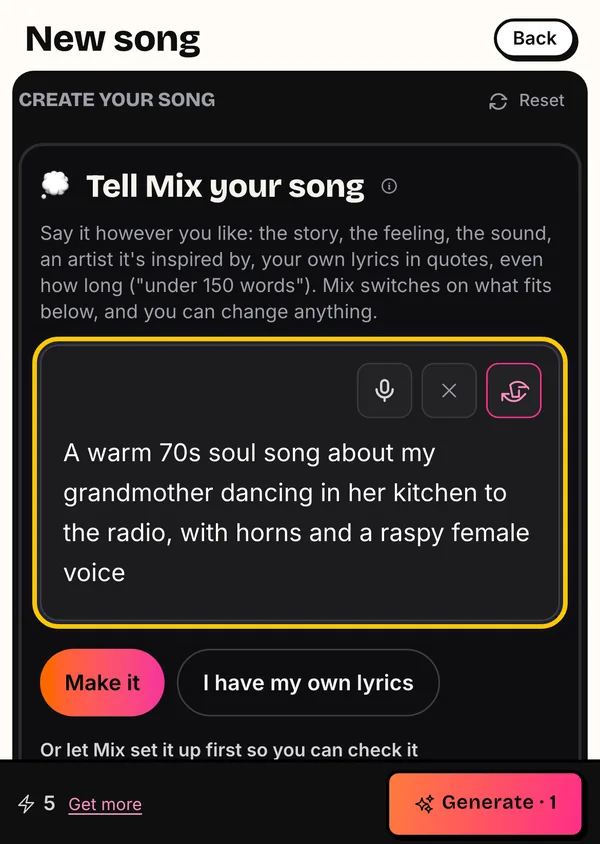
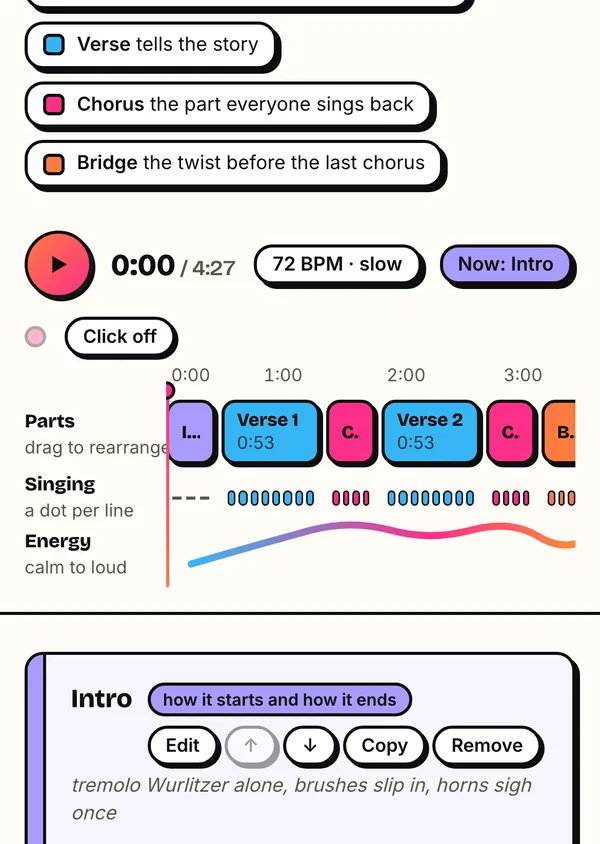
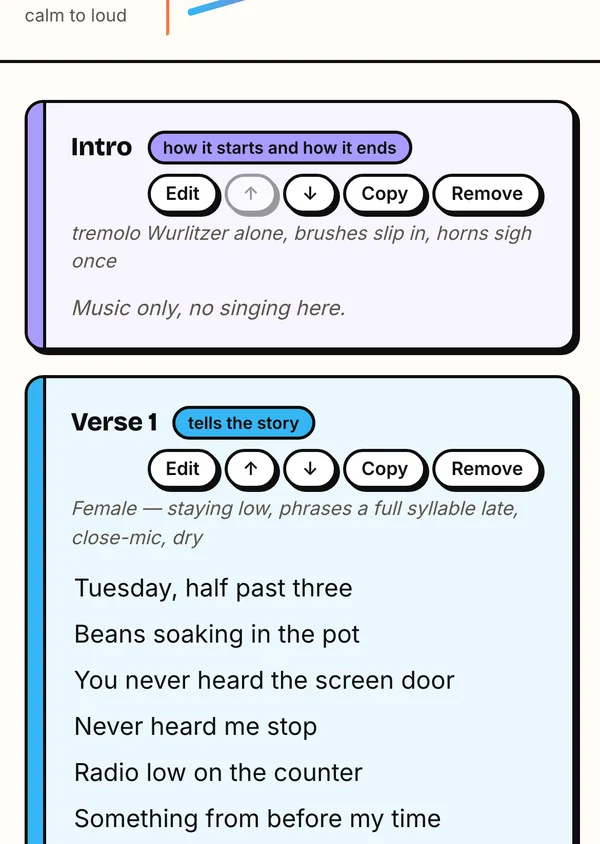
One sentence in. The whole song out.
HookGenius Studio writes the lyrics, the voice and the sound for every part, ready to paste into Suno.
 Write my song free
 Write my song free
 Write my song free
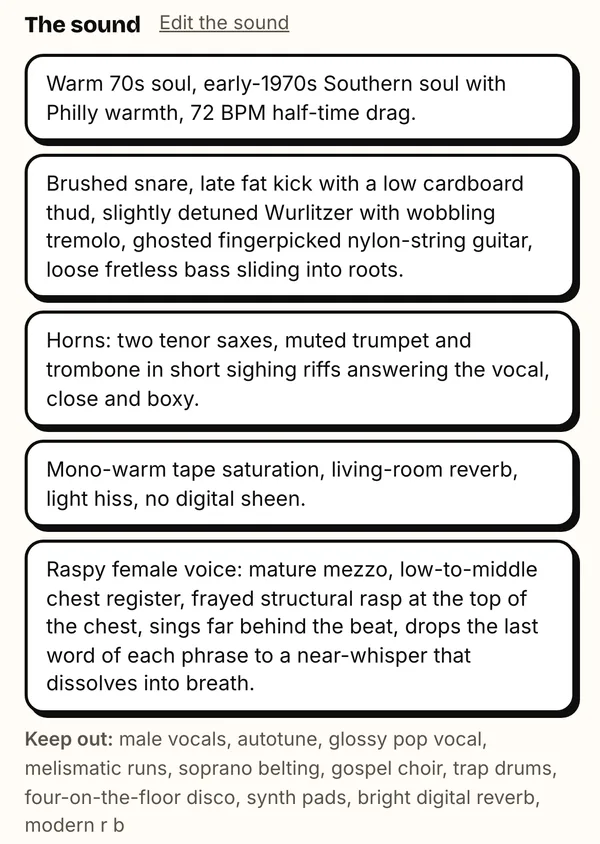 Write my song free
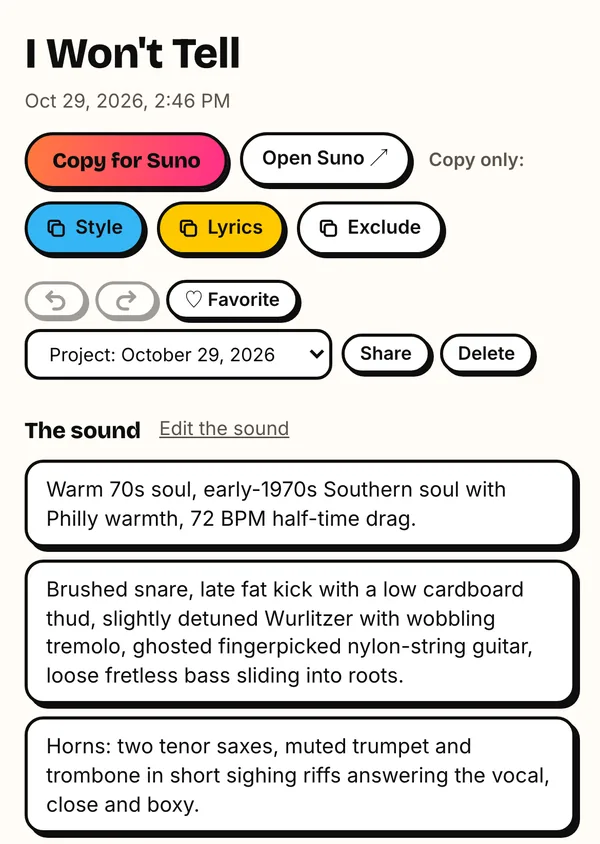 Write my song free
Frequently Asked Questions
Can Suno AI make cover songs?
No, not of other artists' songs. Suno's Cover feature only remakes songs you created in Suno, and its community guidelines prohibit uploading copyrighted material or reproducing existing songs. And there's no reason to try: a copy gives listeners nothing the original doesn't. Describe the sound you want in your own words, write your own lyrics, and you get something new.
Is it legal to make AI songs that sound like existing artists?
We can't tell you what is legal for your song, and nothing here is legal advice. What we can say: Suno doesn't accept artist or song names, and HookGenius doesn't take the names of real artists or songs; it writes from your description. Describe the sound you want in your own words, write your own lyrics and melody, don't use a real singer's voice, and follow Suno's community guidelines, which prohibit reproducing existing songs.
How do I describe the sound I want for Suno?
Decide these elements: 1) Tempo - fast, medium, slow, or specific BPM. 2) Instruments - guitar, synths, drums, bass, strings. 3) Vocals - male/female, smooth/raspy, powerful/breathy. 4) Production era - vintage, modern, lo-fi, polished. 5) Mood - happy, dark, nostalgic, energetic. 6) Structure - verse-chorus, builds, dynamics. Write each element as a comma-separated style prompt.
Can I make a song inspired by music I love?
Yes, as long as the song is yours. Suno doesn't accept artist or song names, and HookGenius doesn't take the names of real artists or songs; it writes from your description. Describe the sound you want in your own words (the genre, the era, the instruments, the voice) and write your own words and melody.
Go Deeper
The Suno Mastery Guide
61 genre deep-dives, 150+ tags + 80-term glossary, feature walkthrough, monetization playbook. 347 pages + 25 HookGenius credits.
Get the Mastery Guide — $29 →Free Tools
Ready to Make Better Suno Songs?
5 free songs when you sign in. No credit card needed. Just describe what you want and go.
Start Generating Free